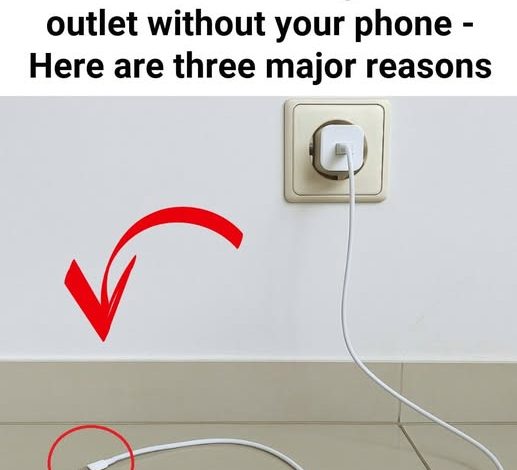
The Small Charger Habit That Can Cost More Than You Think
It is one of those tiny household habits most people barely notice: the phone is unplugged, the day starts, and the charger stays in the wall. It looks harmless, but a charger that is not connected to a device is not always completely inactive.
Many charging bricks can still draw a small amount of electricity while plugged into an outlet. That amount is usually minor for a single charger, but in a home filled with phones, tablets, earbuds, smartwatches, laptops, gaming devices, and other electronics, the background energy use can become part of the monthly power bill.
Why a Plugged-In Charger Still Matters
A charger does not necessarily “shut off” just because the device has been removed. Its internal components may remain in standby mode as long as it is connected to the outlet.
For one charger, the energy use may not feel important. But many homes now have chargers in bedrooms, kitchens, home offices, living rooms, and travel bags. When several of them stay plugged in all day and night, the waste becomes easier to notice over time.
This is especially relevant as household electricity use continues to rise with routers, computers, streaming devices, appliances, heating and cooling systems, and other always-on technology. Chargers are small, but they are part of the larger picture of home energy efficiency.
The Safety Signs You Should Not Ignore
Most modern chargers are designed to be safe when used properly. The bigger concern is old, damaged, low-quality, or poorly fitting charging equipment.
If a charger has cracked plastic, bent metal parts, a loose plug, burn marks, discoloration, exposed wires, or a frayed cable, it should be replaced. A charger that becomes unusually hot, makes a buzzing sound, or gives off a strange smell should not be left in use.
Wall outlets also deserve attention. Outlets can loosen with age and repeated use, especially if plugs are pulled sideways or left hanging from the socket. A loose connection can create poor contact, and poor contact can lead to extra heat.
Watch for these warning signs: frayed or exposed wires, cracked casing, bent connectors, burn marks, discoloration, a plug that slips out easily, unusual heat, buzzing, or strange odors.
If any of those signs appear, do not keep using the charger simply because it still powers a device. Replacing a worn charger is a small consumer cost compared with the risk of damaging electronics or creating a home safety issue.
What Readers Should Know
You do not need a complicated system to reduce unnecessary energy use. Start by unplugging chargers you rarely use, especially before leaving home or going to sleep.
For areas with several devices, a power strip with an on/off switch can make the habit easier. Instead of unplugging every charger one by one, you can disconnect multiple chargers at once when they are not needed.
It also helps to check chargers during normal cleaning or when organizing electronics. Look at the cable, the charging brick, and the outlet. If something feels loose, looks worn, or heats up more than expected, stop using it.
Leaving one charger plugged in may not seem like much. But across a device-heavy household, the habit can waste energy, add wear to equipment, and make damaged chargers easier to overlook.
A simple rule works well: unplug what you are not using, keep an eye on the condition of your chargers, and replace anything that looks unsafe. It is a small habit that can make your home a little more efficient and easier to manage.